About Reminder Ads (Beta)
Nudge redditors to your product launch, game release, or ticket sale date. This ad type is only available for image or video ads in brand awareness and reach or traffic objectives. All ad placement types are supported.
Key features
- Build awareness in advance: Put the event in front of users before it goes live, ensuring prospects are already thinking about your offering ahead of availability.
- Increase opportunity to convert: Drive incremental engagement through repeated, time-based touchpoints that maintain visibility and reinforce intent at key moments.
- Measure interest: Capture signals of intent with reporting and engagement metrics, enabling you to quantify demand and understand which users are most likely to convert.
How it works
Users will see a Remind Me button on the ad. Signed-out users who select this button will be prompted to sign in or create an account.
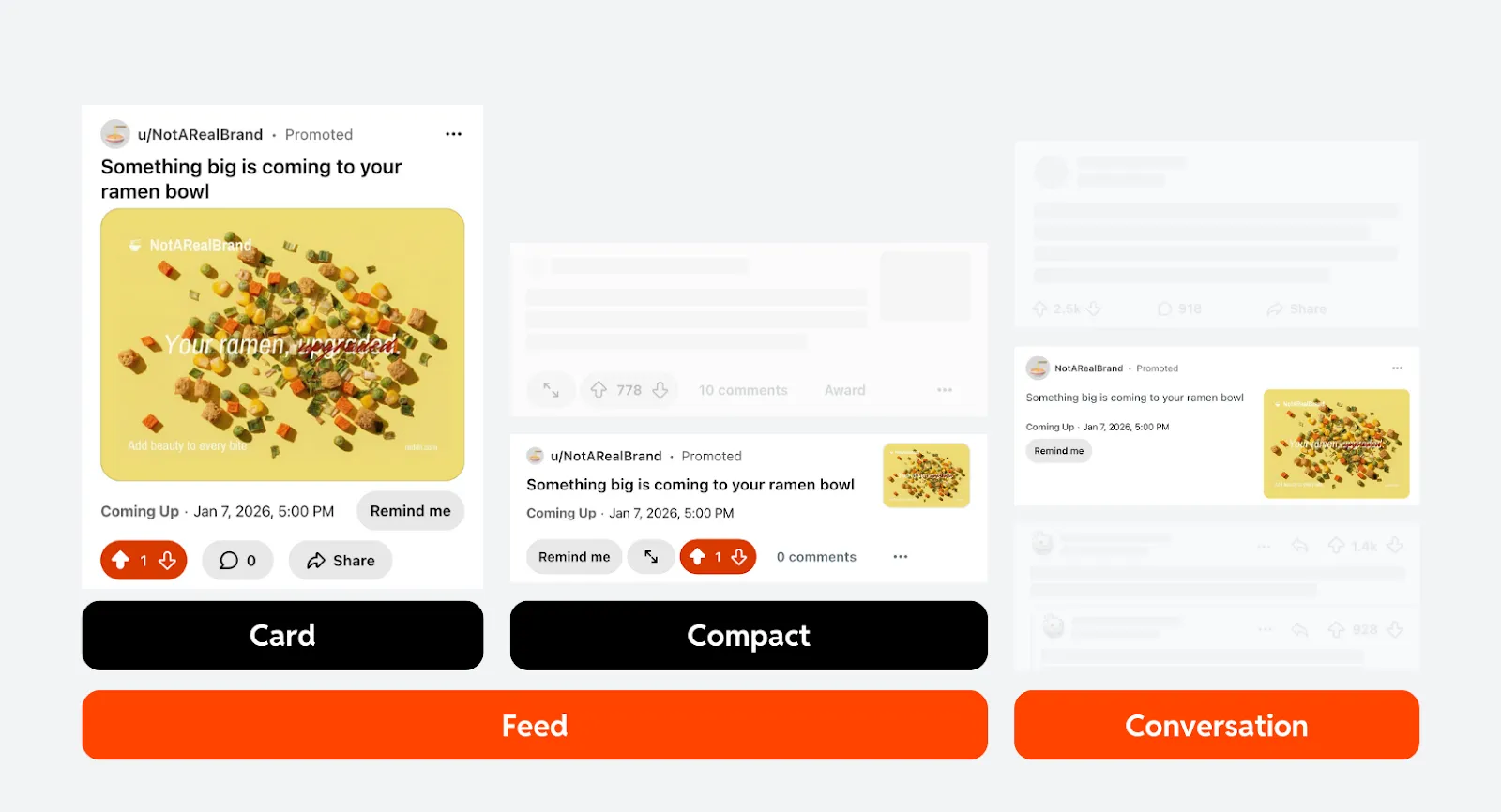
After opting in, users receive a push notification tied to the event timeline based on their local timezone. They will also receive a message in their inbox, too.
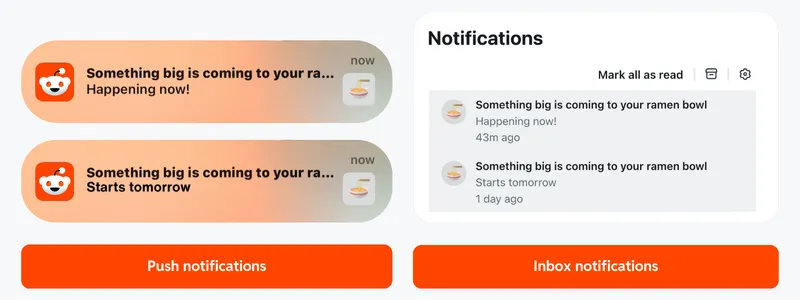
Viewing the notification will send the user to the ad post.
Comment on the ad post and pin the comment to direct users to a specific destination.
Create a reminder ad
- Create an ad in an awareness or traffic ad group.
- Provide a headline. This will be shown as the title of your post and be referenced in the notification alert. We recommend setting this to 25–50 characters.
- Choose either image or video as your post type.
- For the call to action, select Remind Me.
- Set your event start time. This will be used to base when to remind users and adjusts based on the user’s local time zone. This must be set to a time at least 10 minutes or up to 60 days after you create your ad.
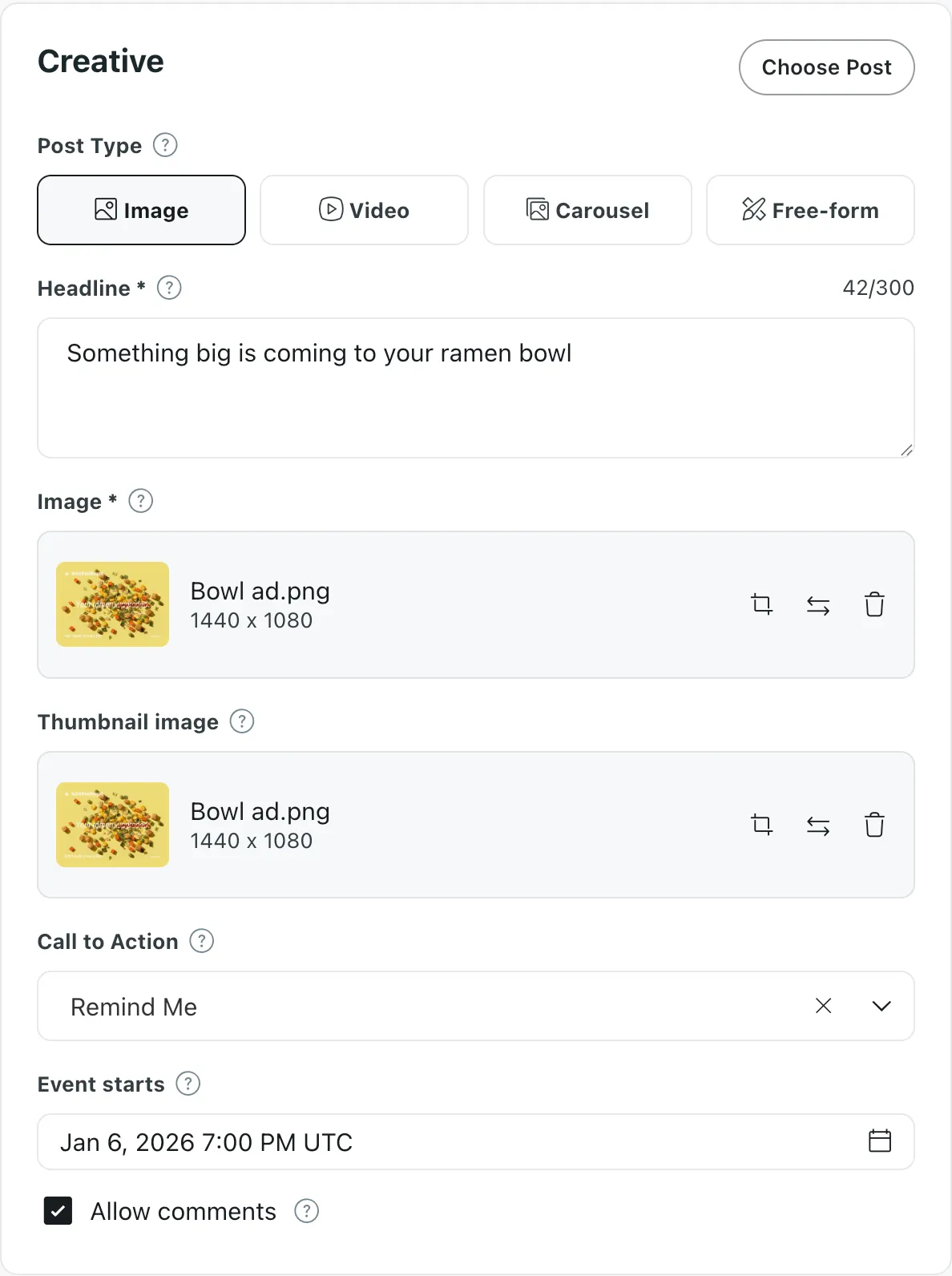
The event start time can’t be changed once the ad is live. Delete the existing post before creating a new one.
- Finish setting up your ad. Review and publish your changes to create it.
Cancel an event reminder
We recommend deleting the post of your ad to prevent notifications from going out for the event:
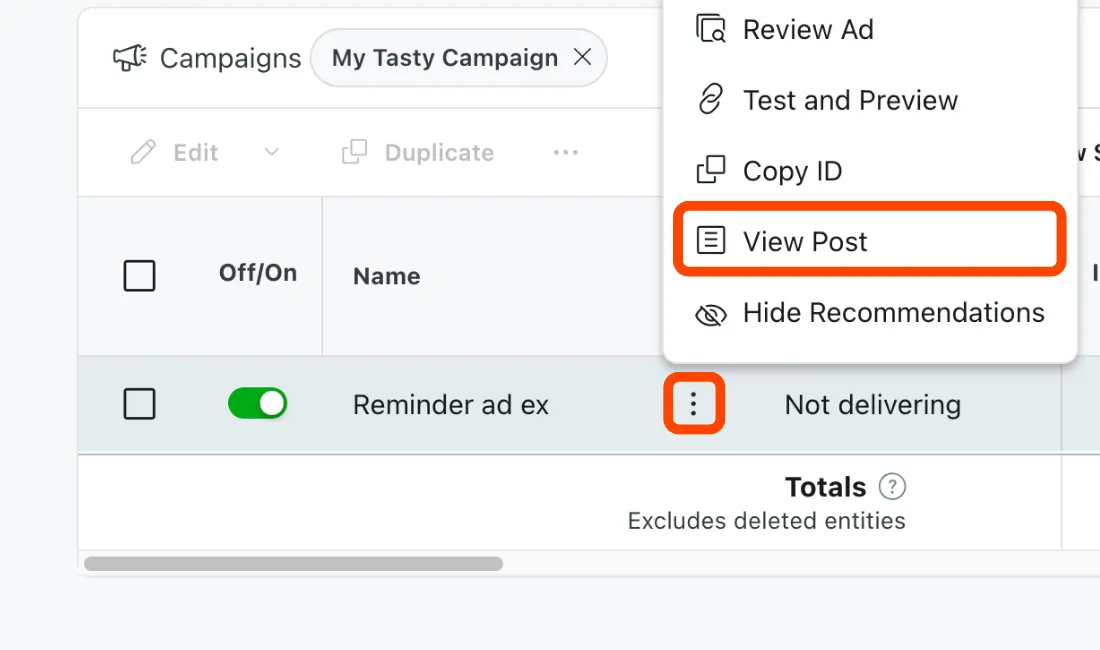
- On the dashboard, find your reminder ad.
- Open ⋮ More Tools > View Post and select Open URL.
- In your browser’s address bar, delete
/?p=1from the URL and navigate to the updated link.Example: Updated URL
URL:
https://www.reddit.com/user/NotARealBrand/comments/xxxxxx/something_big_is_coming_to_your_ramen_bowl/?p=1Updated:
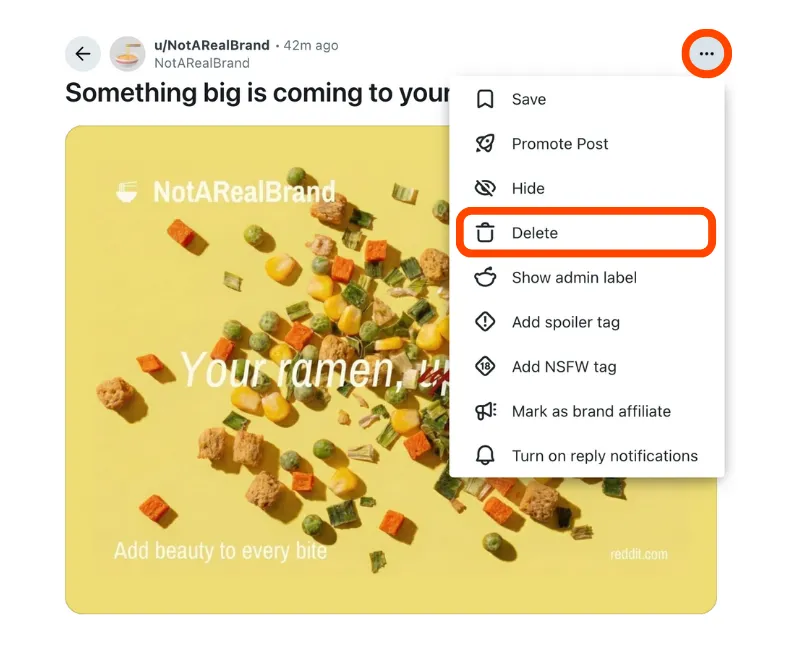
https://www.reddit.com/user/NotARealBrand/comments/xxxxxx/something_big_is_coming_to_your_ramen_bowl - Open ⋯ More Tools > Delete. Confirm to remove it.
This action cannot be undone.
Engaged clicks metric
The engaged clicks metric shows the total number of users who have opted in for reminders, including those who later chose to opt out.
View-through attribution needs to see this metric. Learn how to set up attribution.
Things to know
- Destination URLs aren’t currently available for this ad type. We recommend commenting on the ad post and pinning the comment to direct users to a specific link.
- We recommend using traffic objectives for reminder ads to improve click-through rates (CTR) and reduce cost per opt-in.
- Traffic campaigns will be optimized for the Remind Me CTA. You’ll be billed every time a user selects Remind Me, even if the user later unsubscribes from the ad.
- Users who open the push notification will be sent to the ad post.