Verify Google Tag Manager Containers
After setting up your client-side Google Tag Manager (GTM), it’s crucial to check that everything is firing correctly. Verification lets you know your results are reliable and accurate.
The debug tool won’t work when setting up GTM as a Shopify custom pixel. We strongly recommend skipping container verification and immediately testing events with the Pixel Helper and Events Manager instead.
Web container
- In Google Tag Manager, select your web container to open its workspace.
- Open the Google Tag Manager debugger by selecting Preview.
- Paste the URL of your website and connect. Your website will load in a new tab.
Don’t close this tab until you’ve verified all your event tags are firing correctly.
- Check that your event tags have been found. Select the tags to see the sent data.
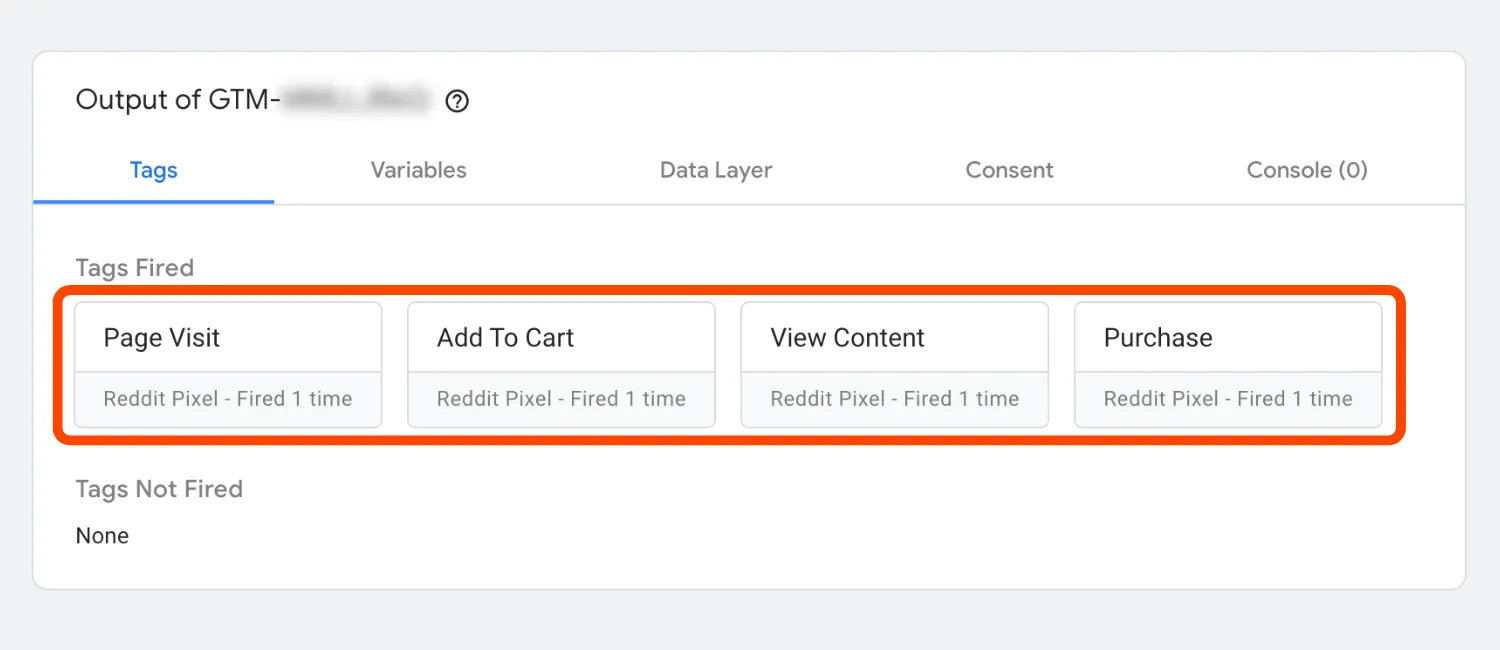
- Ensure events are being properly sent to the Ads Manager with the Pixel Helper and Events Manager.
Server container
1. View server’s health
- Visit your website. Make sure it loads as expected.
- Go to the URL you set as your server container URL, adding the
/healthypath. For example, if your server container URL ismysite.com, visitmysite.com/healthy. - Check that the page displays
ok. If it does, your server is healthy: your server’s running, responsive, and passing traffic to the server container. If you don’t see that, restart your server.
2. Check tag firing
Verify your web container to ensure your Pixel conversion results are reliable and accurate.
- Go to your server container’s workspace in Google Tag Manager.
- Open the Google Tag Manager debugger by selecting Preview.
If you mapped a custom domain, ensure you’ve selected it as the server container URL to preview.
- Refresh the tab with your website and view the logs in the debugger.
Don’t close this tab until you’ve verified all your event tags are firing correctly.
- In the Tags tab, check that all your Google Tag and CAPI event tags have fired. You can select the tags to see the sent data.
- Select your CAPI tag, then verify the outgoing HTTP request goes to
ads-api.reddit.comand returns a200response.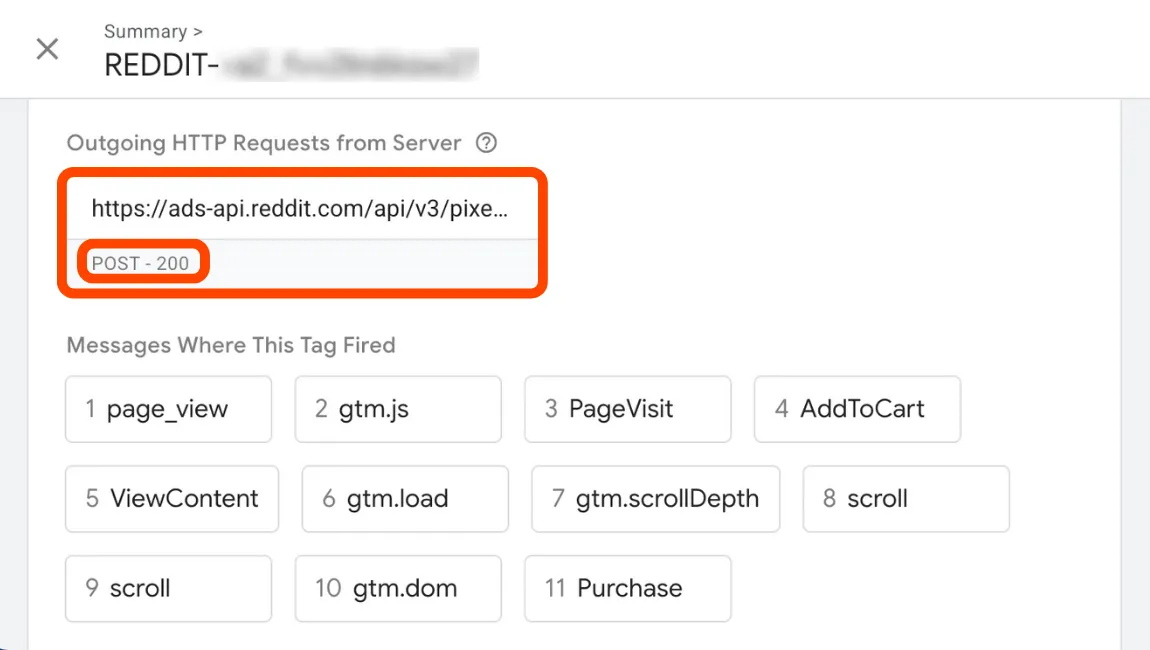
- CAPI events will post on the dashboard within three hours of being sent. We recommend checking the dashboard to ensure events are being passed correctly.
Learn more
In this section: Configure Signals > Third-party Integrations > Google Tag Manager